

Tally accounting software provides an inbuilt option to export data into Excel format, including ledgers, sales registers, trial balance, and stock summaries. However, the default export feature often gives limited or unorganized results — some fields like GST details or item descriptions may be missing. For example, if you want to export ledger masters from Tally to Excel or export stock items from Tally to Excel in a clean format, you’ll need to use a few advanced techniques. In this blog, we’ll explain how to export masters from Tally in a structured and professional way.
How to export all ledgers from tally to excel?
1. To export ledgers from Tally using its default feature, you need to go to Display --> Statement of Account --> Statastics. Choose ledgers from right side and press Ctrl + E to export ledgers in Excel.
2. Default option for exporting ledgers provides only ledger name grouped on basis of Group Name, such option do not provide other fields like ledger email, contact no, GST No, state, address etc.
3. We can get all such fields using SQL query in tally calculator pane and export in proper tabular format.
1. Go to Gateway of Tally and press Ctrl + N and open calculator pane.
2. Type Select * from ledger in calculator pane without inverted comma.
3. Press Enter.
4. Now you will see a long list with all the fields of ledger master. Press Ctrl + E to export it into Excel, PDF or any other format.
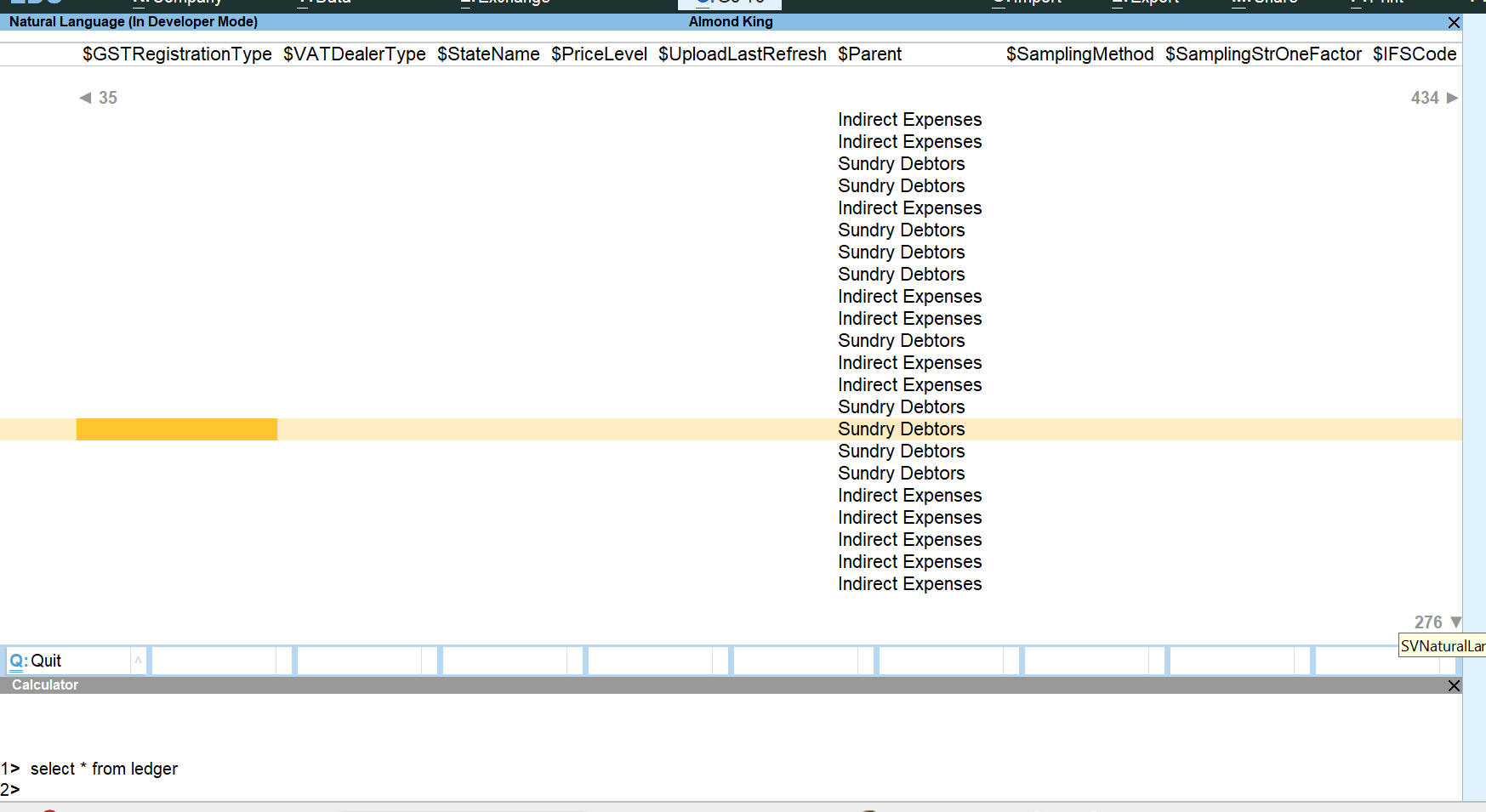
Select $Name, $Parent, $LedgerMobile, $email, $GSTIN from ledgerselect * from ledger command and you can see field name as per column heading.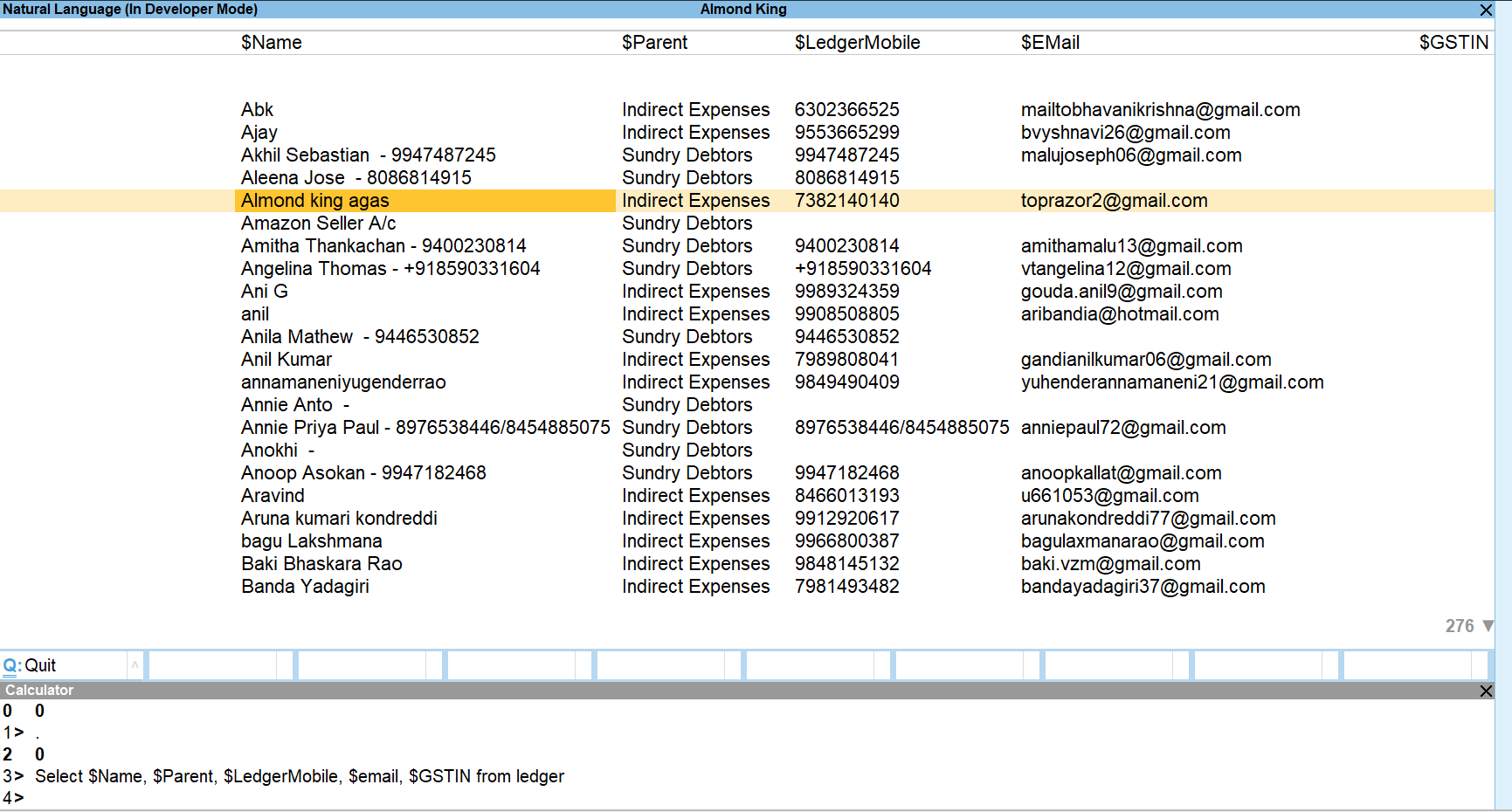
1. To export all stock items from Tally using its default feature, you need to go to Display --> Statement of Account --> Statastics. Choose stock item from right side and press Ctrl + E to export all items in Excel.
2. Default option for exporting stock items provides only stock item name grouped on basis of Group Name, such option do not provide other fields like item alias, Unit, GST Rate, HSN etc.
3. We can get all such fields using SQL query in tally calculator pane and export in proper tabular format.
1. Go to Gateway of Tally and press Ctrl + N and open calculator pane.
2. Type Select * from stockitem in calculator pane without inverted comma.
3. Press Enter.
4. Now you will see a long list with all the fields of stock item master. Press Ctrl + E to export it into Excel, PDF or any other format.

Select $Name, $PartNo, $name[2].name, $BaseUnits, $_IntegratedTax, $Category, $AdditionalUnits, $_LastPurcPrice, $_HSNCODE, $Parent, From StockItemselect * from stockitem command and you can see field name as per column heading.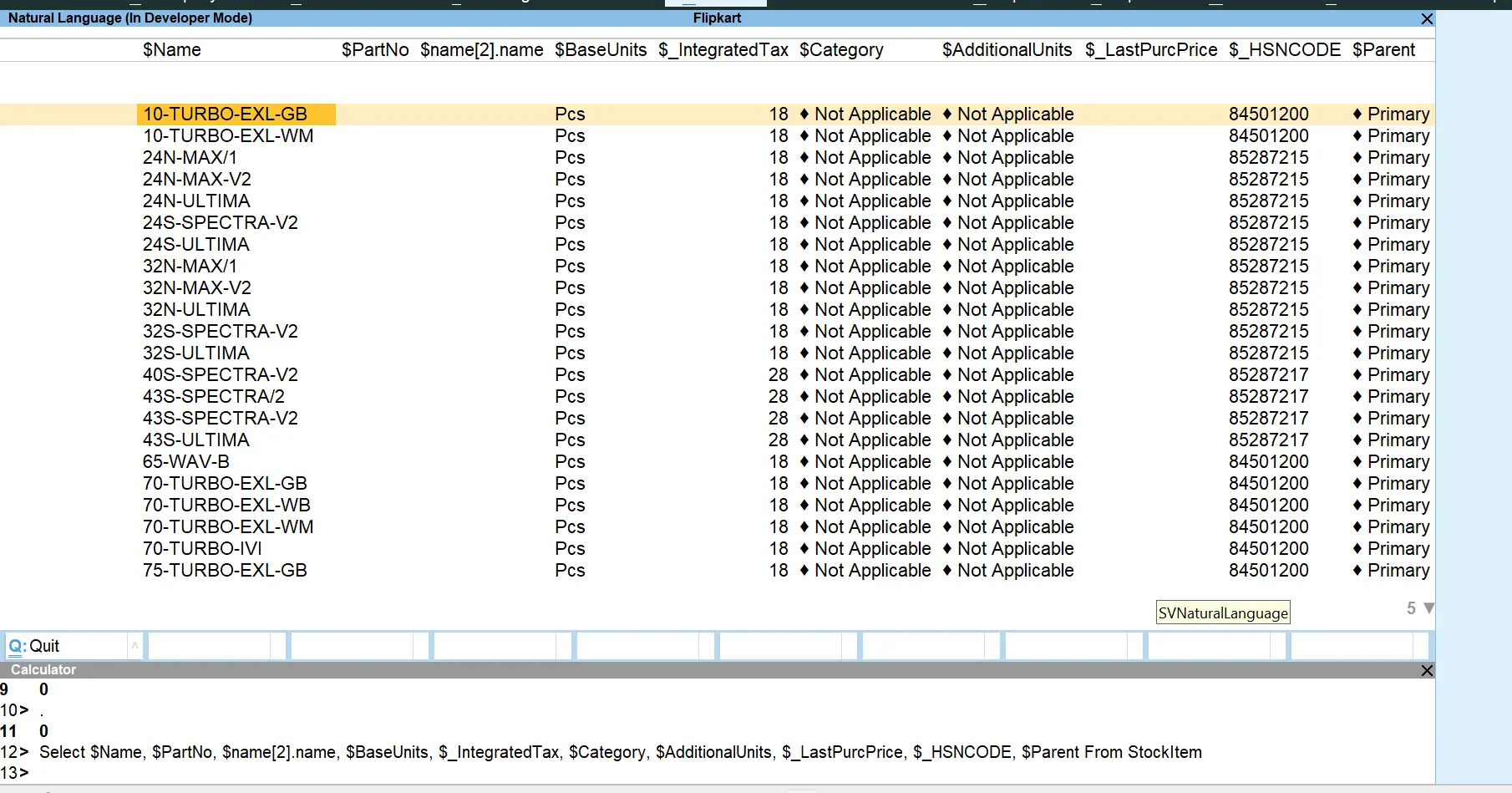


0
0
0
For Utility, Support and Service


Recently
Great software, User friendly & Superb support. All GST reports shows accurate results. Multiple formats for each voucher to suit our need. Whatever format of data you have, you can export that to tally. Good Job... QuikAccount Team!

Recently
Software is user-friendly. It provide lot of option to cater your need and give results in desired format. Also it ask for minimum data and most of the fields are either auto-calculated or imported from tally which makes working on this software very faster.

Recently
Superb tool to integrate excel data in Tally. We have imported complex e-commerce reports with this tool and it has imported large data accurately and very fast too. Company provided one click import option for multiple e-commerce platforms.
Share your details and we will get back to you.